How to Build a Scalp Micropigmentation Portfolio
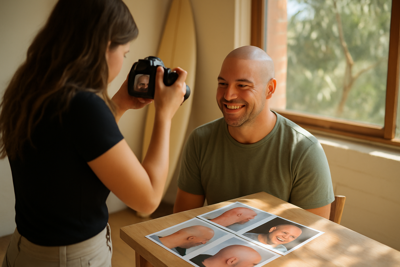
A useful scalp micropigmentation portfolio lets a reader understand what the photographs show and whose work they are viewing. Build it from genuine examples, consistent presentation and accurate context. A photograph can show an appearance; it cannot by itself prove safety, qualifications or a guaranteed result for another person.
Separate Practice From Client Work
Label synthetic practice, supervised training exercises and your own completed client work accurately. Do not present a tutor demonstration, stock photograph or generated image as a result you achieved. If you contributed only part of a piece, explain your role.
Keep a private source record for each example: when it was photographed, who produced the work and what permission covers its use. Publish only examples you are entitled to show.
Make Photographs Comparable
- Use a consistent camera position, distance and background where practical.
- Keep lighting and exposure comparable between views.
- Include a wider view as well as the detail you want to discuss.
- Use the same orientation and scale for a comparison.
- Keep the original files alongside any edited exports.
A dramatic change of lighting, angle or crop can make a comparison difficult to judge. Retake an unclear photograph where possible rather than using heavy editing to make the result appear stronger.
Edit the Presentation, Preserve the Evidence
Crop for a tidy layout and make restrained exposure or colour adjustments when needed for faithful presentation. Do not redraw a hairline, add density, smooth away marks or remove remaining pigment to imply a result that was not photographed.
If you only have an immediate photograph, label it as such. Do not call it a healed result or manufacture a later stage to complete a visual sequence. Use the actual date or interval recorded for the photograph without presenting that timing as a universal healing schedule.
Use a Short, Factual Case Caption
A case entry can state the aim discussed, your role, the photographs available and the stage shown. Keep the caption specific enough to explain the image without publishing unnecessary personal or health information.
- What is the example intended to demonstrate?
- Is it practice, supervised work or your own client work?
- When were the displayed photographs taken?
- Which views or later photographs are unavailable?
Avoid a promise that another client will receive the same appearance or need the same number of sessions. A case caption should describe the documented example, not turn it into a prediction.
Agree Where Images May Be Used
Discuss publication separately from the procedure or training exercise. Confirm which photographs may be shown and where, such as a website portfolio or a social account. Keep a clear record of the agreement and the route for raising concerns.
Keep private treatment and contact records separate from the public portfolio. Check the privacy requirements that apply to your business before publishing identifiable information; this checklist is not a model release form or a statement of legal compliance.
Make the Portfolio Easy to Browse
Choose a small set of clear, relevant examples rather than a large collection of near-duplicates. Use consistent image sizes and short descriptive captions. Where helpful, organise examples by the feature being shown, without inventing categories you have no work to demonstrate.
Check the page on a phone: captions should be readable, comparisons should fit the screen and important detail should not be cropped out. Add descriptive alternative text that explains the image without keyword repetition or outcome claims.
Review Before Publishing
- Each example is correctly attributed and accurately labelled.
- The original photographs support the displayed result.
- The recorded permission covers the planned use.
- Captions distinguish the stages actually photographed.
- Private information has not been copied into public captions.
- The page and its contact link work on mobile.
Students can request tutor feedback on their assigned practice record before choosing portfolio examples. Check the current course curriculum and support arrangements for the guidance included in your selected training option.
Course Details and Next Steps
Review the current course details for Australia and contact Skinart with questions about your selected option. Existing students can return to their lessons in the academy.